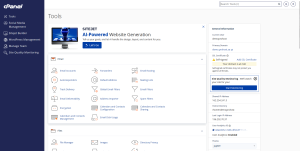
cPanel is a user-friendly control panel that allows you to manage your hosting account from one place. In this guide, we’ll take a quick tour of the main sections available in cPanel and explain what you can do with each one.
Main Sections in cPanel
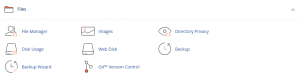
Files
The Files section allows you to manage your website files and folders directly from cPanel.
Using this section, you can:
Upload website files
Manage folders and directories
Create backups
Access FTP settings
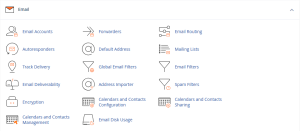
Email
The Email section helps you create and manage professional email accounts associated with your domain.
Using this section, you can:
Create email accounts
Change email passwords
Configure email clients
Access Webmail
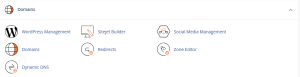
Domains
The Domains section allows you to manage domains, subdomains, and redirects.
Using this section, you can:
Add subdomains
Manage domain settings
Create redirects
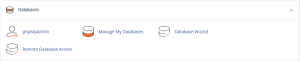
Databases
The Databases section is used to manage website databases.
Using this section, you can:
Create MySQL databases
Create database users
Manage databases using phpMyAdmin
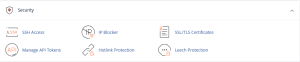
Security
The Security section provides tools to help protect your hosting account.
Using this section, you can:
Update your password
Manage SSL certificates
Configure security settings
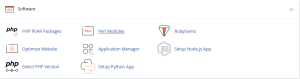
Software
The Software section allows you to install and manage web applications.
Using this section, you can:
Install WordPress
Manage PHP versions
Configure application settings
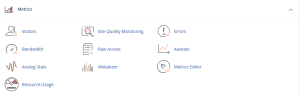
Metrics
The Metrics section provides information about your website usage and account resources.
Using this section, you can:
View visitor statistics
Monitor bandwidth usage
Check resource consumption
Result
You are now familiar with the main sections of cPanel and can start managing your hosting account more efficiently.
نظرة عامة
تُعد cPanel لوحة تحكم سهلة الاستخدام تتيح لك إدارة حساب الاستضافة الخاص بك من مكان واحد. في هذا الدليل سنستعرض أهم الأقسام الموجودة داخل cPanel وما يمكن استخدام كل قسم فيه.
الأقسام الرئيسية في cPanel
الملفات (Files)
يتيح لك قسم الملفات إدارة ملفات ومجلدات موقعك مباشرة من خلال cPanel.
يمكنك من خلال هذا القسم:
رفع ملفات الموقع
إدارة المجلدات والملفات
إنشاء النسخ الاحتياطية
الوصول إلى إعدادات FTP
البريد الإلكتروني (Email)
يتيح لك قسم البريد الإلكتروني إنشاء وإدارة حسابات البريد المرتبطة باسم النطاق الخاص بك.
يمكنك من خلال هذا القسم:
إنشاء حسابات بريد إلكتروني
تغيير كلمات المرور
إعداد برامج البريد الإلكتروني
الوصول إلى Webmail
النطاقات (Domains)
يستخدم قسم النطاقات لإدارة النطاقات والنطاقات الفرعية وإعدادات التحويل.
يمكنك من خلال هذا القسم:
إنشاء نطاقات فرعية
إدارة إعدادات النطاق
إنشاء عمليات إعادة التوجيه
قواعد البيانات (Databases)
يستخدم قسم قواعد البيانات لإدارة قواعد البيانات الخاصة بموقعك.
يمكنك من خلال هذا القسم:
إنشاء قواعد بيانات MySQL
إنشاء مستخدمي قواعد البيانات
إدارة قواعد البيانات باستخدام phpMyAdmin
الأمان (Security)
يوفر قسم الأمان أدوات تساعدك على حماية حساب الاستضافة الخاص بك.
يمكنك من خلال هذا القسم:
تغيير كلمة المرور
إدارة شهادات SSL
ضبط إعدادات الأمان
البرامج (Software)
يتيح لك قسم البرامج تثبيت وإدارة التطبيقات المختلفة.
يمكنك من خلال هذا القسم:
تثبيت WordPress
إدارة إصدارات PHP
ضبط إعدادات التطبيقات
الإحصائيات (Metrics)
يعرض قسم الإحصائيات معلومات حول استخدام الموقع واستهلاك موارد الاستضافة.
يمكنك من خلال هذا القسم:
عرض إحصائيات الزوار
متابعة استهلاك الباندويث
مراقبة استهلاك الموارد
النتيجة
أصبحت الآن على دراية بالأقسام الرئيسية داخل cPanel ويمكنك البدء في إدارة حساب الاستضافة الخاص بك بسهولة أكبر.